|
|
|
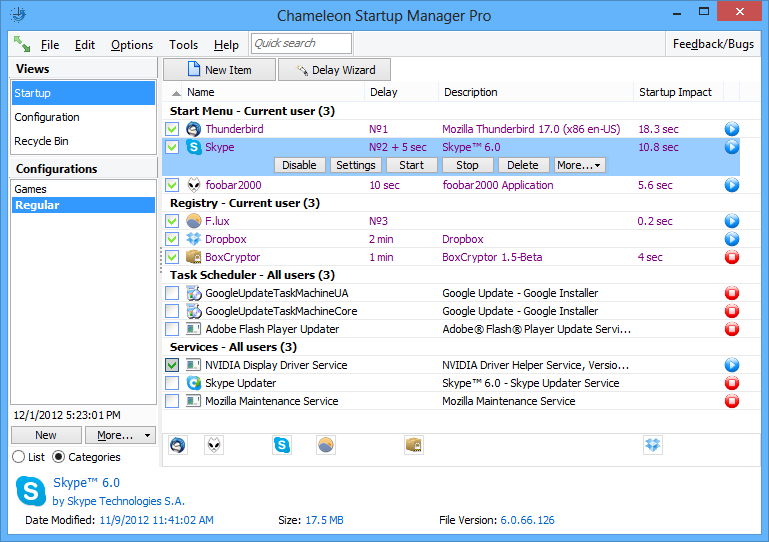
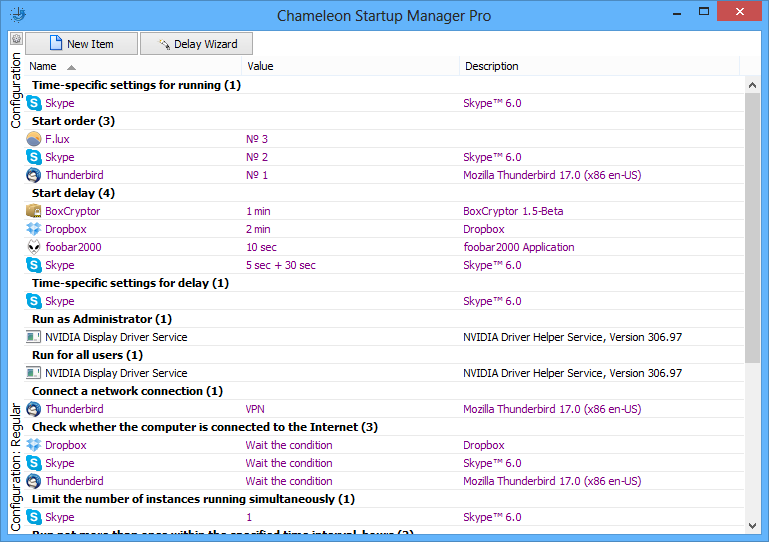
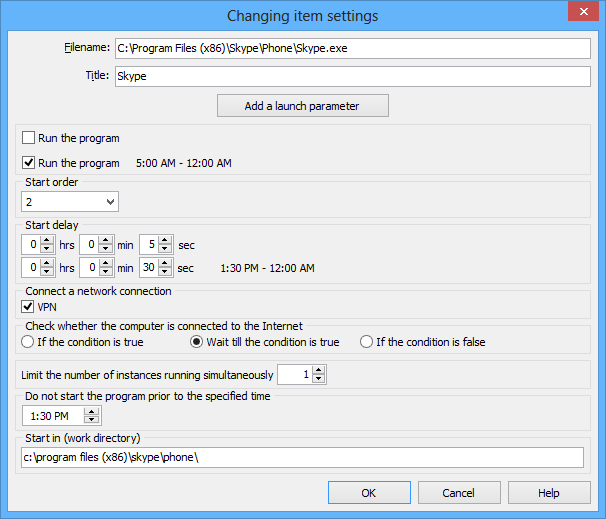
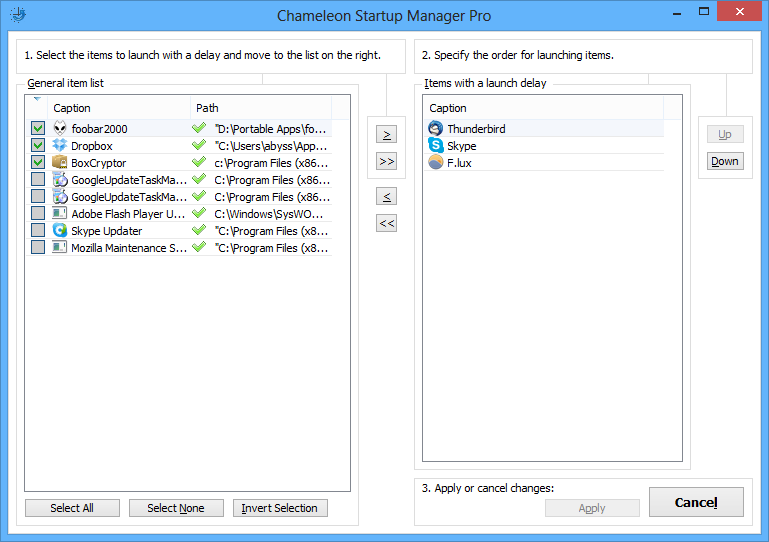
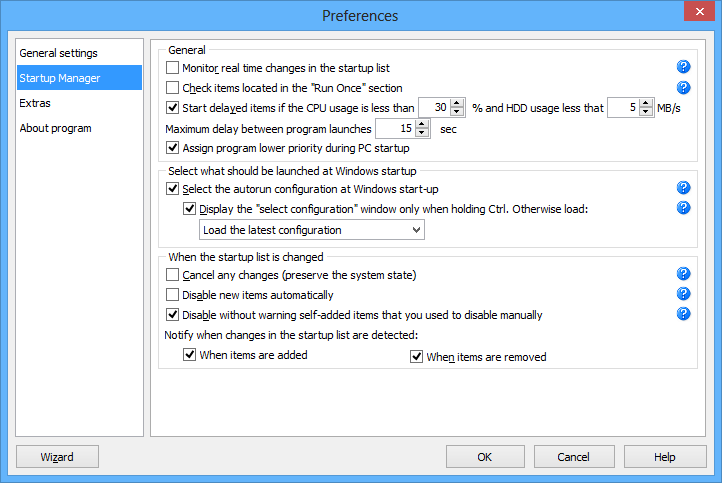
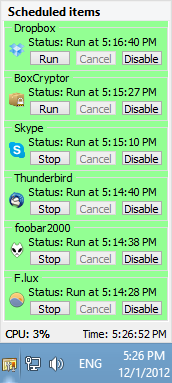
Startup delayer – how to change windows startup orderChameleon Startup Manager is a startup manager (msconfig replacement) that enables the full customization of startup programs. Setting a startup delay can optimize Windows startup, especially if your computer has slow startup.There are several ways to run startup programs with a startup delay (ie change windows startup order): Use the wizard immediately to set a startup delay for multiple startup programs. Dragging a program shortcut to the Delay Bar achieves visual customization. The startup order can also be changed in the same place by dragging across any shortcuts. It is also possible to open the program settings and change the startup delay in the same location. In addition, the programs can be organized with specific start days, program startup order and priority, which also helps to optimize startup. More details can be found here. |
|
| Current version: 4.0.0.914 | |
| Platform: Windows XP/2003/Vista/2008/7/8/8.1/10/x64 Edition | |
| Language: English, Spanish, German, Italian, Russian, Czech, Portuguese, Dutch, French, Slovak, Ukrainian, Hindi, Polish, Serbian, Chinese |
| 30-days trial version | Chameleon Startup Manager Lite |
The main features of the program are:
| Free | Pro | |
|
Most of the new features
|
||
|
Applying configurations 'on-the-fly' without restarting Windows
Necessary programs can be run and unnecessary programs closed using one button without reloading Windows |
||
|
Change startup profiles for all Windows users
|
||
|
Individual launch settings, delays, and order depending on the day and time
|
||
|
Automatic delayed program launch
Each program is launched in sequence after the previous one finishes starting |
||
|
Working in Windows Vista/7/8 without UAC prompts
You can start programs with administrator permissions without confirming the privileges |
||
|
Start programs after another program is launched (also with a delay option)
|
||
|
Many launch conditions
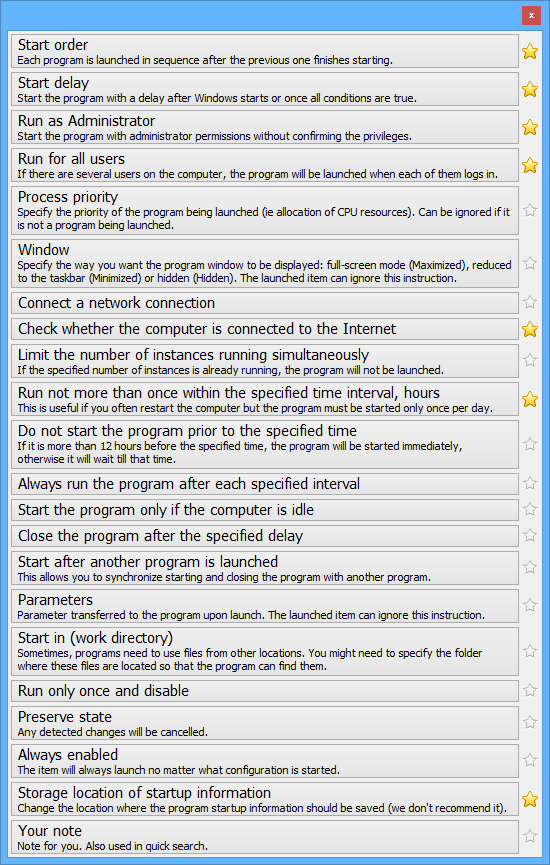
Run if the computer is connected to the Internet, not more than once within the specified time interval, if the computer is idle, etc. |
||
|
Possibility to restore all changes
Automatically save the history of changes in configurations and for each program |
||
|
Monitor real time changes in the startup list
There is immediate notification of added (or removed) startup programs |
||
|
Change startup order by specifying a startup delay
It can be changed visually or by using the wizard |
||
|
Many launch parameters
Internet connection, specified time, closing after a delay, etc. |
||
|
Black list
Just disable the program once and it will no longer add itself to the startup list |
||
|
Possibility to сancel any changes (preserve the system state or for each program)
Any removal, addition or change in the program settings will be cancelled |
||
|
Selecting on what days should programs be run
|
||
|
Select the startup configuration at Windows start-up
During Windows startup, it is possible to select the programs to be launched by selecting one of the Windows startup configs saved earlier (eg, for the Internet, for games, etc) |
||
|
Setting the startup priority
|
||
|
Support for Services and Task Scheduler
|
||
|
Startup configurations management
Any number of Windows startup configs can be created and loaded if necessary |
||
|
Allow to add, edit, disable and remove startup programs
|
Missing a specific feature?
Tell us what you'd like to see or vote for one already suggested and we'll try to add it!
Chameleon Startup Manager 4.0.0.914 released
Chameleon Startup Manager 4.0.0.913 has been released
Chameleon Startup Manager 4.0.0.912 has been released
Chameleon Startup Manager 4.0.0.910 released
Chameleon Startup Manager 4.0.0.903 is available
Chameleon Startup Manager 4.0.0.895 released
Chameleon Startup Manager 4.0.0.887 is available
Chameleon Startup Manager 4.0.0.882 is available